Bfcache: What happens when users navigate back?
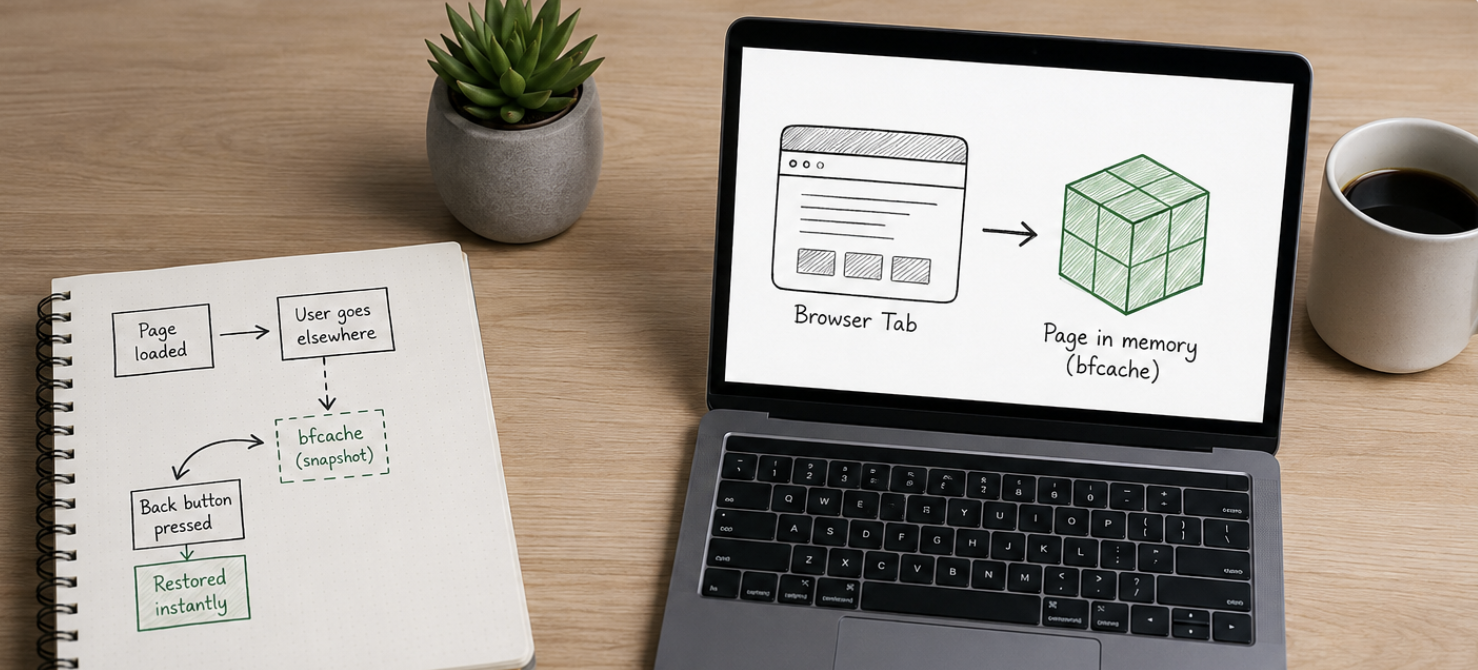
Bfcache is one of the highest-impact performance optimizations available on the web, but it still receives far less attention than Core Web Vitals or Lighthouse scores.
Most teams focus primarily on the initial page load. First impressions matter, and there’s a whole industry of tooling built around measuring them. But once users start browsing, they rarely follow a clean linear path. A typical e-commerce journey looks more like this:
---
config:
  themeVariables:
    nodeTextAlignment: center
---
flowchart TD
    A[Open category page] --> B[Click into a product]
    B --> C[Hit Back]
    C --> D[Click into another product]
    D --> E[Hit Back]
    E --> F[Apply filters]
    F --> G[Click into a product again]
    G --> H[Hit Back to compare]

    classDef action stroke:#818cf8,fill:#eef2ff
    classDef navigation stroke:#2dd4bf,fill:#f0fdfa
    classDef filter stroke:#fb923c,fill:#fff7ed

    class A,B,D,G action
    class C,E,H navigation
    class F filter
The Back button is one of the most-used controls on the web, particularly on mobile. Chrome data shows 1 in 10 desktop navigations and 1 in 5 mobile navigations are back or forward. But many websites treat every Back navigation as a completely new page visit. JavaScript runs again, components reinitialize, and network requests fire.
The page may be functionally correct, but every Back navigation still feels like waiting for a page load.
What bfcache actually does
When a user navigates away from a page, the browser can preserve the page’s state in memory, including scroll position, form inputs, open UI elements, and JavaScript state. When the user presses Back or Forward, the browser restores the page exactly as it was.
The page is typically restored almost instantly, with scroll position, filters, and UI state preserved. For the user, it feels less like loading a website and more like switching between screens in a native app.
This is fundamentally different from the HTTP cache. The HTTP cache stores responses for individual network requests, while bfcache preserves the entire page execution state, including the JavaScript heap. Even a perfectly HTTP-cached page must still parse HTML, execute JavaScript, and render the page again. Bfcache skips that work entirely.
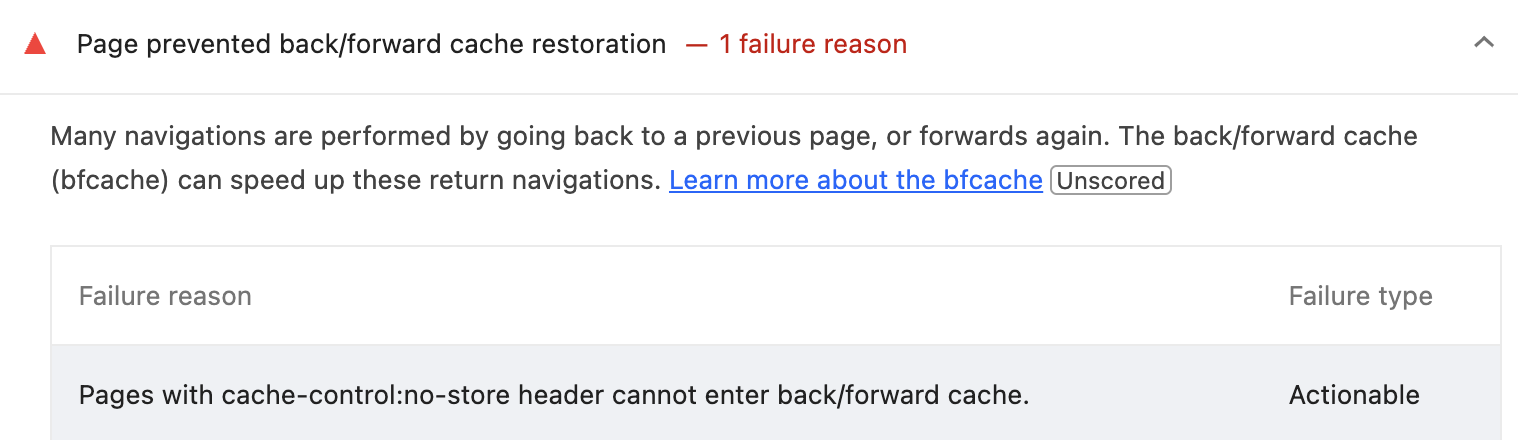
Taking advantage of bfcache is not automatic. Certain browser APIs, response headers, and page lifecycle behaviors can make a page ineligible.
Magento storefronts use Cache-Control: no-store, while many applications accidentally break restored state by assuming every page visit starts from a fresh load.
Why this matters more than another Lighthouse point
Chrome DevTools includes a Back/Forward Cache diagnostic that explains whether a page was restored successfully and highlights any blockers.
Imagine two stores:
Store ALCP: 1.8s, excellent Lighthouse score, Back navigation takes ~1 second every time.Store BLCP: 2.0s, slightly lower Lighthouse score, Back navigation is instant.
Which one feels faster during a real shopping session? In many browsing-heavy journeys, Store B will feel faster despite having a slightly worse Lighthouse score.
All major browsers support bfcache. The behavior differs slightly across browsers. Safari is more aggressive about caching pages, while Chrome and Firefox enforce stricter caching eligibility requirements.
Everything discussed so far applies to websites in general. For Magento storefronts, the practical implementation details depend on the frontend stack being used.
If you’re running Hyvä Themes, bfcache support is already built into the platform and requires only a few configuration changes.
Handling restored state
The browser fires a pageshow event with event.persisted === true whenever a page is restored from bfcache.
For Hyvä themes stores, bfcache support has been available since version 1.4. Enable it under
Stores → Configuration → Hyvä Themes → System → Cache Options → Enable bfcache
then update your Varnish VCL to remove no-store.
The Hyvä theme module already includes pageshow handlers for all native Hyvä components.
In a Hyvä store, a clean pattern is to register a single Alpine component that owns all restore logic, then call it from init(). This keeps bfcache handling in one place rather than scattered across templates.
Alpine.data('bfCacheHandler', () => ({
    init() {
        window.addEventListener('pageshow', (event) => {
            if (event.persisted) {
                                this.resetDesktopStates();
                                this.resetMobileStates();
            }
        });
    },

    resetDesktopStates() {
        this.closeMinicart();
        this.closeSearch();
    },

    resetMobileStates() {
        this.closeMobileMenu();
        this.closeMinicart();
        // ... add other reset methods per your theme
    },

    closeMinicart() {
        const el = document.querySelector('.minicart-wrapper.active');
        if (el) el.click();
    },

    closeMobileMenu() {
        const toggler = document.querySelector('.navbar-toggler-icon.close-ico');
        if (toggler) toggler.click();
    },

    // ... add other reset methods per your theme
}));
Magento specific considerations
The open Magento PR magento/magento2#40750 addresses both at the core level. It removes no-store from the PHP response and all Varnish VCL versions, and adds pageshow handlers to over a dozen components including such as:
minicart.js— closes the minicart dropdown and resets the loading countermenu.js— collapses open submenus and clears mobile nav statecatalog-add-to-cart.js— resets button text and removes the disabled classproceed-to-checkout.js— re-enables the checkout buttoncustomer-data.js— re-runs the section staleness check so cart counts and customer names reflect changes made in other tabsmessages.js— clears cookie and customerData flash messages
Bfcache is unusual among performance optimizations because it improves an interaction users perform constantly: going back. For many stores, enabling bfcache is one of the simplest ways to make the site feel noticeably faster.
Further reading: Back/forward cache documentation · Back/forward cache Hyvä documentation